
Fix Your Snapchat Memories Export
Don't let your memories be lost in chaos. Restore capture dates, GPS coordinates, and metadata automatically.
Local Processing
Everything happens 100% on your device
Private & Offline
Your photos and videos stay offline
Zero Tracking
No analytics on your personal media
The Snapchat Export Problem
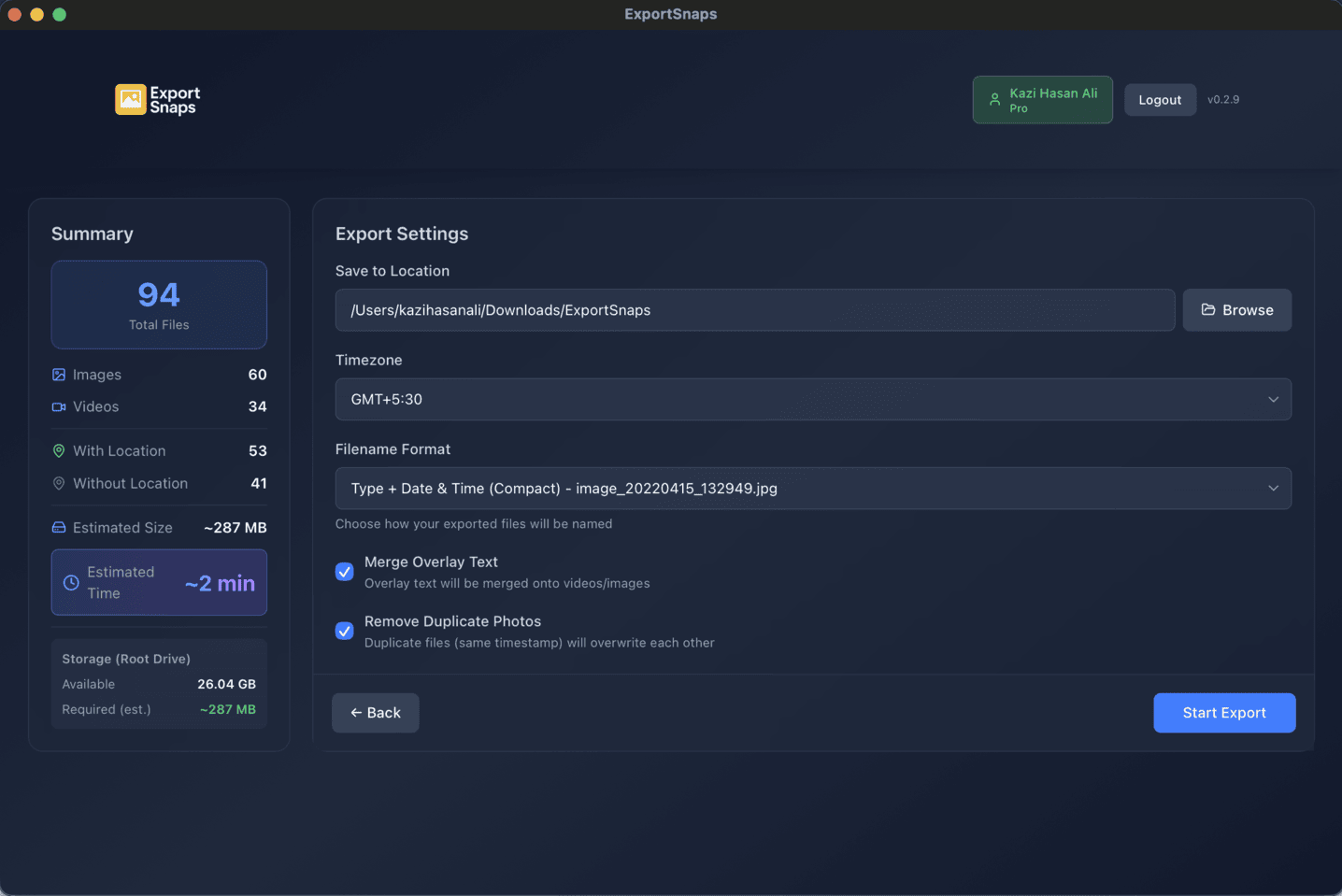
ExportSnaps fixes the broken Snapchat export process. Our desktop application downloads and processes your Snapchat memories locally, restoring missing metadata and organizing everything properly.
Downloaded files have zero EXIF metadata, so all photos appear "taken today" instead of showing their original capture dates.
Location data exists in the JSON but isn't embedded in your files, breaking map views in photo apps.
Memories with text or stickers come as separate ZIP files, requiring manual merging of overlay onto the original photo.
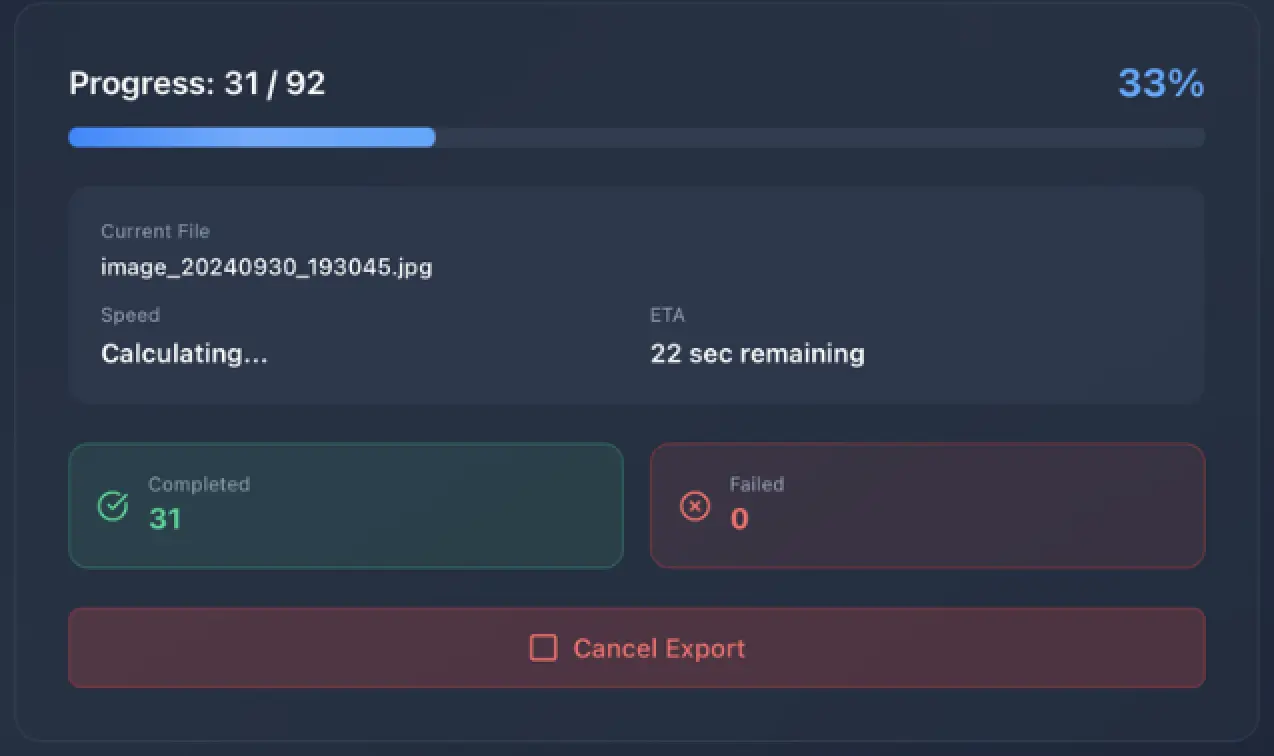
Process your entire library
Upload your memories_history.json file and ExportSnaps handles everything, downloads all media directly from Snapchat's CDN, maps metadata to each file, and writes proper EXIF data with capture dates and GPS coordinates. Don't worry even if your snapchat data is over 200GB we have tested even with more
Automatic Overlay Merging
Snapchat exports memories with text or stickers as separate ZIP files. ExportSnaps automatically extracts and merges the overlay back onto your photo or video, creating a single complete file.
What We Fix
Writes DateTimeOriginal to restore proper capture time and fix your timeline.
Preserves original filenames and any captions from your memories.
Embeds latitude/longitude from your JSON when location data exists.
Automatically extracts and merges overlay ZIP files back onto the main photo or video.
Adjusts all timestamps based on your selected timezone.
Creates failed.json for any failed downloads so you can retry without re-processing everything.
Frequently Asked Questions
Why do my exported Snapchat photos show the wrong date?
Snapchat's export doesn't embed metadata into your files. The dates, GPS coordinates, and timeline info exist only in the JSON file—your actual photos/videos have no EXIF data, so they all show the download date instead of when you actually took them.
What does ExportSnaps do?
ExportSnaps reads your memories_history.json file, downloads your media directly from Snapchat's servers, and embeds the correct dates, GPS coordinates, and timezone into each file. It also automatically merges separated overlay files (text/stickers) into single finished photos.
Is my data safe? Do you upload my photos anywhere?
100% private. Everything processes locally on your computer. Your photos never leave your device—we don't have servers that store or process your files.
What platforms are supported?
macOS 12.0+ (Intel and Apple Silicon) and Windows 10 1809+. ExportSnaps is a desktop app, it's not available for mobile or web because large exports require proper file system access and processing power.
How much does it cost?
Free for up to 200 files. Pro is $14.99 one-time payment for unlimited processing and 1 device access—no subscription.
Can it handle large exports?
Yes. Tested with 1,163.34 GB and 64,790 files. Processing typically takes 2-10 minutes depending on your library size.
What if some files fail to download?
ExportSnaps generates a failed.json file during processing that you can retry without re-downloading everything. Most failures resolve on the second attempt.
Will my photos work in Apple Photos / Google Photos?
Yes. After processing, your photos import with correct dates, show up on the map, and sort chronologically in any gallery app that reads EXIF metadata.
How to export Snapchat memories with metadata?
Request your data from accounts.snapchat.com (enable "Export JSON Files"), then process the export through ExportSnaps to embed dates and GPS into your actual files.
How to merge Snapchat overlay files?
ExportSnaps automatically merges separated overlay zips with your main photos/videos into single finished files.
How to add GPS location to Snapchat export?
ExportSnaps extracts GPS coordinates from your memories_history.json and embeds them into each file, so map views work in any gallery app.
What to do if Snapchat export keeps failing?
ExportSnaps downloads directly from Snapchat's servers and generates a failed.json during processing for any issues, you can retry just the failed files without starting over. We're working on a better solution to handle this.